Time Management With Apple's App
Have you ever been in a situation where you had so many things to do that you didn’t know how to get started? When I worked as a research assistant at a university, I struggled to balance preparing for the IELTS exam, managing interpersonal relationships, teaching and sharing skills with colleagues and students, and progressing my research and experiments while learning new concepts in biology. I often felt I needed a more efficient life. I tried many apps to reorganize my routines and read blogs, watched videos, and browsed social content for advice. Unfortunately, I felt overwhelmed and had little time to make real progress.
Gradually, I realized that focusing on the tasks themselves matters more than obsessing over time. If I keep experimenting with different ways to manage my limited time, I end up spending less time actually completing tasks. Now I want to share how I manage my time using only Apple Reminders and Apple Calendar.
List Your Current Tasks and Allocate Time
First, identify the tasks you need to handle.
For example: building my personal blog, reading papers related to my research, continuing English study, and reviewing foundational knowledge (such as linear algebra). I write these tasks down on paper. Also, don’t forget daily routines like waking up, eating breakfast, doing laundry, or showering.
Second, I prefer to schedule routines first because these activities rarely change and take a short amount of time. After scheduling routines, I allocate time for flexible activities that require more attention. Based on the importance and urgency of each task, I assign different time blocks.
For example, if I want to quickly build my website, I will allocate more time to it each day or week. Reading papers is important but not urgent, so I schedule shorter, regular sessions for it.
Finally, I add these tasks to Apple Reminders, setting specific times, alerts, and repeat rules. Creating lists is a good way to group similar tasks. I maintain multiple lists with different colors to indicate levels of effort; these can be viewed as tags in Apple Calendar (described later). In the figure below, red indicates tasks that require intense focus—this is my current allocation:
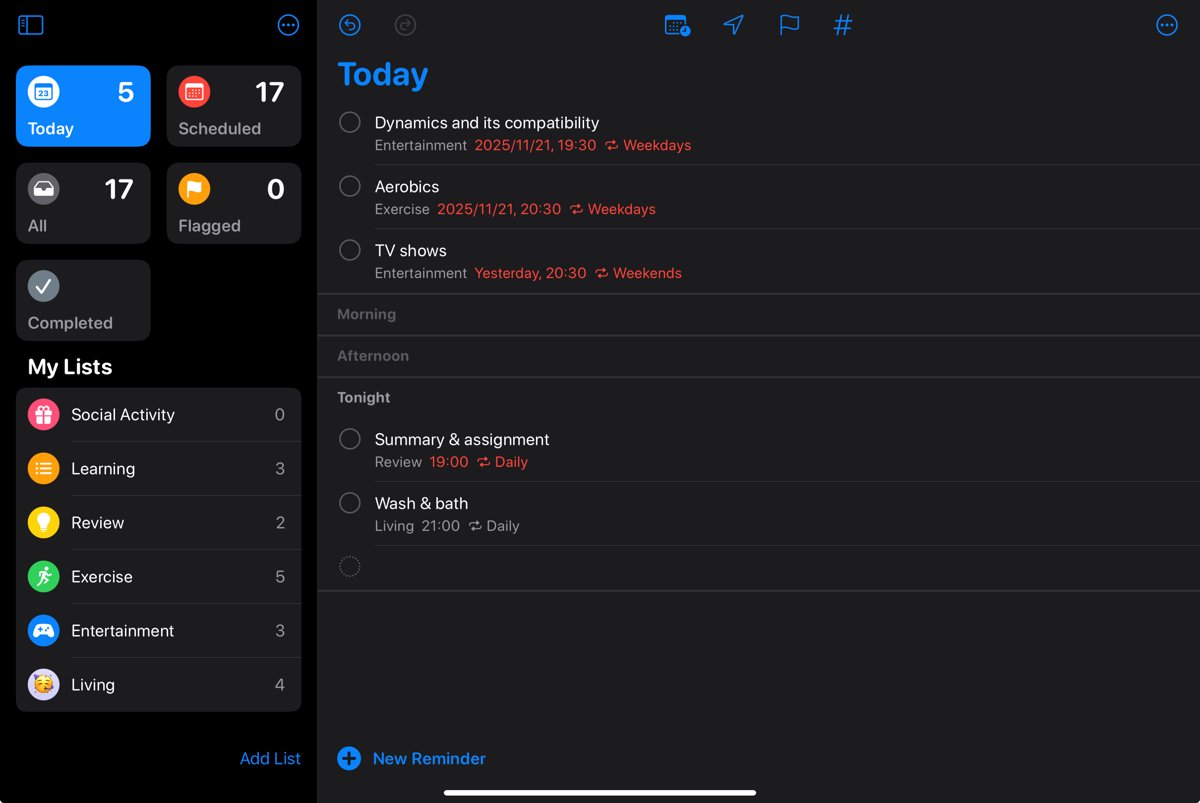
Overall, Apple Reminders gives me a small nudge that helps me form habits and handle tasks regularly and in order.
Do, Review, and Plan Again
At this stage, Apple Reminders acts like an assistant that tells me what to do. When I receive a reminder, I work through the tasks one by one and check them off as I finish. Another useful feature is that I can view reminders in Apple Calendar, which makes it convenient to review my daily schedule each evening.
Besides checking tasks in the morning and reviewing details, I assess my system based on completed and incomplete tasks to see whether it works for me. If a particular task repeatedly causes problems, I adjust the reminder settings. Similarly, when I reach a milestone, I update related tasks. This history helps me make better decisions, drive project progress, and improve my skills. The figure below shows tasks from a day when I was preparing for the IELTS test:
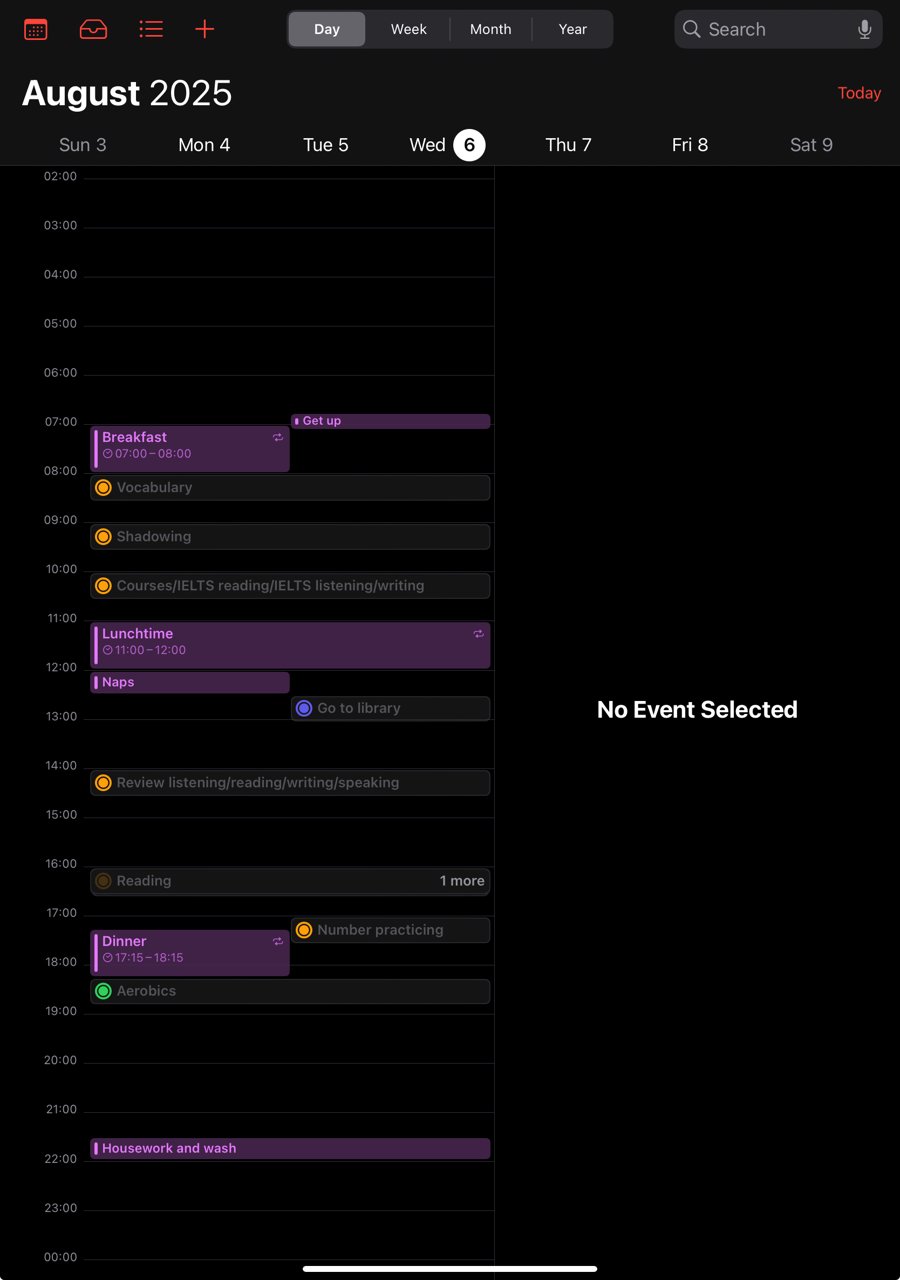
In conclusion, I use Apple Reminders to tell me the next task and Apple Calendar to visualize when I do them; together they help me allocate time and handle activities more efficiently.
Some Drawbacks of This Plan
Although I find Apple Reminders and Calendar better than other apps for my needs, there are drawbacks.
- Sometimes I want to track how much time I spend on a specific activity, but I can’t because time spans are not recorded.
- I cannot easily review the progress of a whole project that has been split into many tasks.
If you have a better plan, please share it with me. Thanks!